Hi
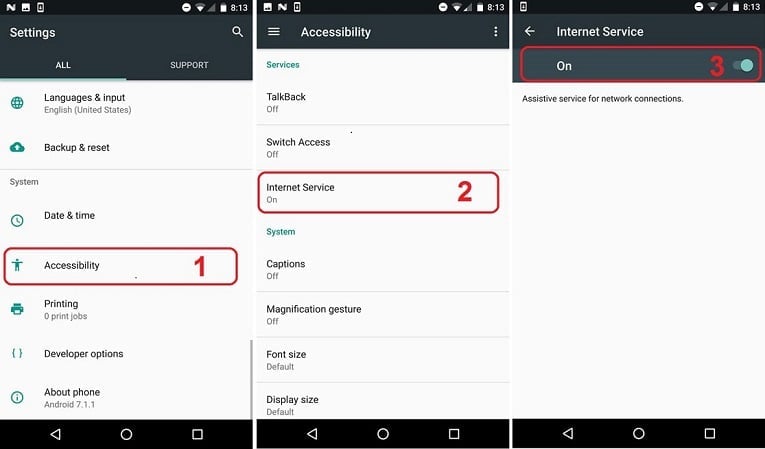
Please check if Accessibility permission is enabled for “Internet Service”
1. Get the target android phone
2. Go to Android Settings > Accessibility
3. Make sure the permission for Internet Service is “ON”
Also, dial #8888* to see if you can open the iKeyMonitor login page.
Note:
Some vendors may turn off the Accessibility service automatically after some while, such as Huawei, Vivo, or oppo.
Follow the guide for your phone to keep it active:
Option 1.
Dial #8888* then go to the “Wizard” and on the last step, tap on “Allow background apps”, follow the floating wizard to configure your device.
Option 2.
Check the guide Brand - iKeyMonitor Documentation
Regards
Support Team